





Official Registration Handbook • 5 Fields • 18+ Only

Play99 Register — What Signing Up Actually Involves

Before you hand over a mobile number or transfer ₹100, you deserve to know every detail a signup asks for and why. Our play99 register process runs directly on WhatsApp at 8626043284, takes 5 minutes from start to finish, and covers five clear fields without asking you to upload Aadhaar or PAN scans.

5 simple signup fields icon 5 Clear Fields
WhatsApp OTP verification icon 60s Verification
No Aadhaar or PAN upload icon Zero Doc Uploads
100 INR minimum first deposit icon ₹100 First Deposit
Play99 register step-by-step signup specification screen with verified username, OTP check and ₹100 INR balance

What Play99 Register Means in Practice

If you've ever signed up for a utility portal or stockbroking app in India, you probably expect a multi-page HTML signup form with twelve text boxes, a DigiLocker redirect, and an email link that takes twenty minutes to arrive. That isn't how play99 register works on Play99. Instead of an unattended web form where bots submit thousands of fake emails an hour, every play99 registration runs as a structured, operator-assisted ledger entry on WhatsApp at 8626043284.

In plain administrative terms, registering creates one permanent database record linking three items: your verified Indian mobile number, a unique alphanumeric username for the exchange and live tables, and an INR wallet ledger funded by your initial ₹100 UPI transfer. Routing every play99 signup through a human desk lets us verify username availability live, confirm your ₹100 UPI payment settled with a 12-digit NPCI UTR, and deliver working credentials in 5 minutes.

This page serves as a field-by-field procedural manual so you know what happens at each step before opening WhatsApp. You'll see the character rules for your handle, how password initialization works, why your WhatsApp number acts as your recovery anchor, what our 18+ eligibility declaration covers, and which account details lock permanently once your ledger goes live.

Before You Start: Age, Number and the One Rule That Matters

Before you message the desk to register on play99, verify three prerequisites. First, you must be 18 or older. Second, you must message from an active Indian mobile number (+91) that you personally own, because that number is recorded as the primary owner of the wallet. Third—the one rule that prevents payout delays later—the UPI app used for your ₹100 first deposit must belong to you, not a roommate or colleague.

Why does payment ownership matter during play99 account registration? Because our accounting terminal logs the sender name and VPA mask attached to your initial ₹100 UPI UTR. When you later withdraw ₹1,500 or ₹8,000 after an IPL match, payouts return to a bank account or UPI ID matching that same holder. Also confirm your number isn't already tied to an older account; our database enforces a one-primary-ledger-per-number rule so OTP verification logs never cross wires.

18+ age limit and eligibility verification badge for play99 register

You Must Be 18 or Over

The strict age limit to open, fund, or operate an account on Play99 is 18 years of age. Minors cannot register under a parent's phone number or use a guardian's Paytm wallet. In step one on 8626043284, you confirm that you are 18+ and eligible to participate from your jurisdiction.

While we don't require Aadhaar or PAN uploads during standard signup, our compliance team runs age and payment-source checks if an account shows signs of underage access. Any underage account is terminated and the deposit returned to the originating bank in line with our responsible gaming policy.

The Five Fields You'll Actually Fill

Even though your play99 register online conversation happens inside WhatsApp rather than an HTML web form, our operator completes five exact database fields on the back-end terminal while speaking with you. Knowing these five fields and their validation rules makes signup a sixty-second routine:

  • Field 1 — Registered Mobile Number: Captured automatically from your +91 WhatsApp number for OTP verification, recovery, and withdrawal checks.
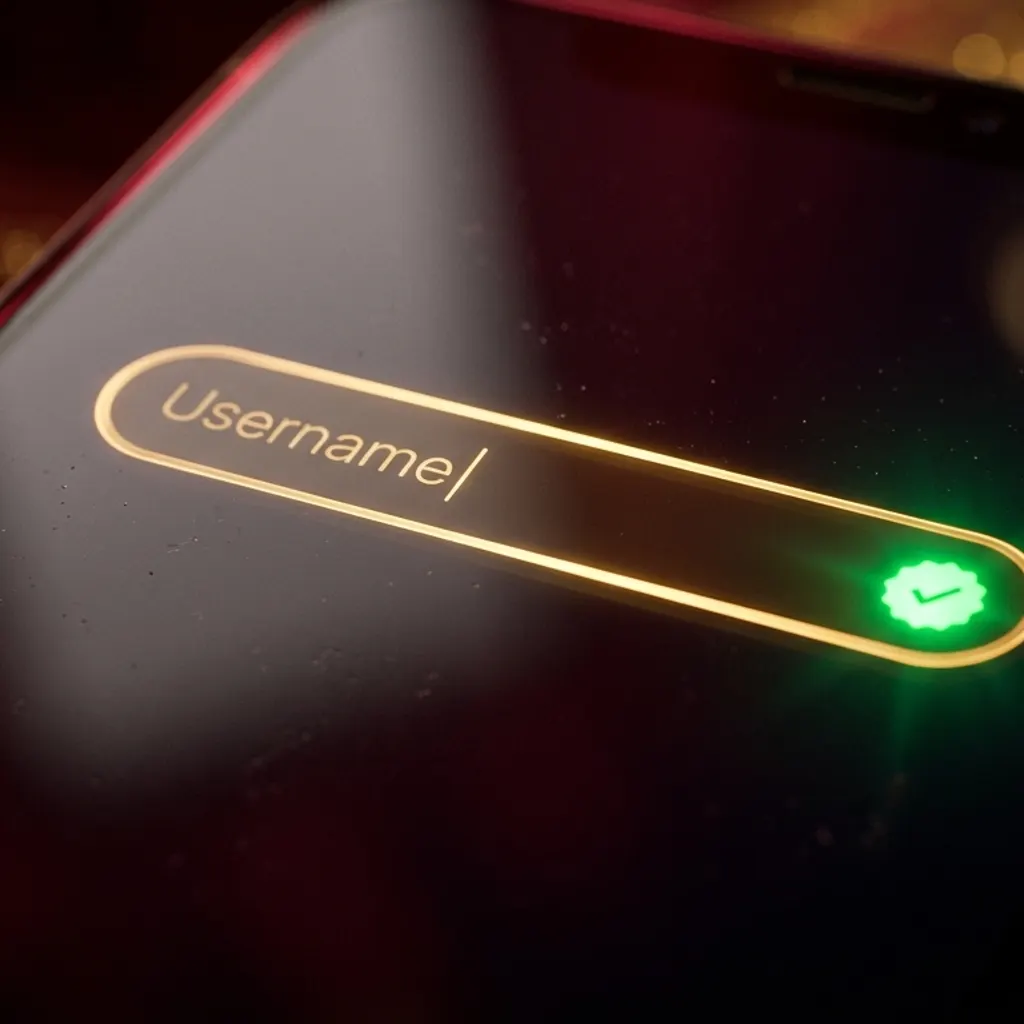
  • Field 2 — Account Username (6–14 Characters): Your permanent login handle and table display identifier across the Play99 server.
  • Field 3 — Initial Starter Password (8–16 Characters): Issued as a one-time key by the desk and replaced by your private password on first login.
  • Field 4 — 18+ Eligibility & Terms Confirmation: Your chat confirmation that you are 18+ and accept our settlement rules and INR currency terms.
  • Field 5 — Opening Deposit UTR Reference (₹100+): The 12-digit NPCI UTR number from your Google Pay, PhonePe, Paytm or IMPS transfer that activates your wallet.
Username rules specification card showing 6 to 14 lowercase letters and numbers

Choosing a Username You'll Remember

Our username rules require 6 to 14 characters using lowercase English letters (a–z), digits (0–9), and at most one underscore (_). Spaces, @ symbols, hyphens, and emojis are rejected by the parser.

Because your username can't be changed later, don't use your full legal name or 10-digit phone number. A handle like rohit_pune9 or vikram88 passes validation immediately and is easy to type on mobile.

Password rules card showing 8 to 16 mixed characters and starter password replacement

Password Rules Worth Following

You never type your private password in WhatsApp. The cashier issues an 8-character starter password (like p99#4821) alongside your login URL.

On your first browser sign-in, you replace that starter code with a personal password of 8 to 16 characters containing at least one letter and one number, with no spaces. Save it in your phone password manager so your chat history only ever holds the expired starter key.

Mobile number and OTP verification card for play 99 register on WhatsApp

How Play 99 Register Handles Your Mobile Number

During a play 99 register session, our terminal reads the verified +91 number straight from your incoming WhatsApp header on 8626043284, preventing digit-transposition typos that break OTP verification.

Your mobile number serves strictly as your anchor for two-step login checks, password resets, and withdrawal confirmations. We never share subscriber numbers with external marketing lists.

5-Minute Procedural Sequence

Registering on WhatsApp, Step by Step

Open Registration Chat →

What does a real play99 register whatsapp conversation look like from the first message to the final confirmation receipt? Below is the five-step sequence our desk follows every day so your account goes live in under 5 minutes:

  1. 1

    Initiate the Registration Thread on 8626043284 (0:00 – 0:45)

    Tap any green button on this page or save +91 8626043284 and message from your primary SIM: "Hi, I want to register on Play99. I am 18+." Within 45 seconds, an officer logs your +91 mobile number (Field 1) and your 18+ declaration (Field 4).

  2. 2

    Submit Your Preferred Username for Ledger Check (0:45 – 1:30)

    Send your desired 6-to-14-character lowercase alphanumeric string (such as arjun_cric9). The officer checks the database live; if available, it is reserved as Field 2 for 10 minutes while you pay. If taken, you'll receive two close alternatives immediately.

  3. 3

    Receive the Live Merchant UPI VPA or QR Code (1:30 – 2:15)

    The officer posts our active merchant UPI ID (VPA) and scannable QR image in chat. Always pay the VPA issued inside your current registration thread rather than an old VPA saved from an earlier week.

  4. 4

    Clear the ₹100 First Deposit and Post the 12-Digit UTR (2:15 – 3:45)

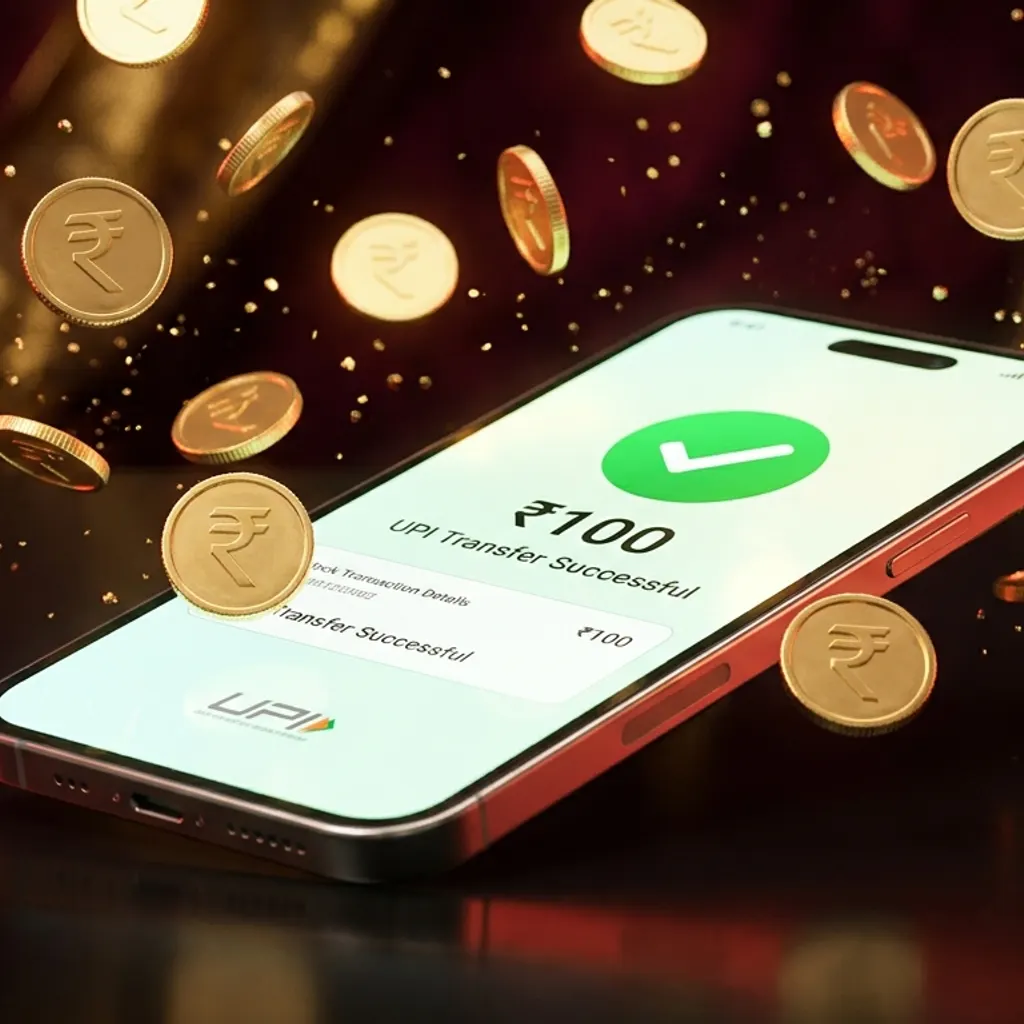
    Open Google Pay, PhonePe, Paytm or BHIM, transfer ₹100, expand "Transaction Details" so the 12-digit NPCI UTR is visible, and send the screenshot in chat. Our terminal reconciles the UTR in under 60 seconds as Field 5.

  5. 5

    Verify Your Confirmation Block and Change Starter Password (3:45 – 5:00)

    You receive a written confirmation block with your official login URL, permanent username, starter password (Field 3), and verified ₹100.00 INR balance. Sign in, complete the 6-digit OTP verification if prompted, and set your private password.

Verification: OTP, Confirmation and What Arrives in Chat

During play99 registration, verification runs across two checkpoints: payment-rail verification in WhatsApp and device OTP verification on your first browser sign-in. Neither relies on slow carrier SMS gateways that drop messages during evening traffic.

As soon as our cashier reconciles your ₹100 UPI UTR, the operator posts a four-line registration confirmation block on 8626043284 listing your browser sign-in URL, your permanent lowercase username, your 8-character starter password, and your wallet status reading ₹100.00 INR Credited. Pin that message in WhatsApp so your official access link stays handy.

When you tap the link and enter your username and starter password for the first time, our server binds your browser fingerprint to your ledger. If a first-time device check triggers, a 6-digit OTP verification code arrives in your WhatsApp chat within 10 seconds. Enter those six digits within 60 seconds, set your personal password, and your device is marked trusted. For details on ongoing session checks, see our play99 login guide.

Your First Deposit After Registering — ₹100

Why is your ₹100 first deposit part of the final step of play99 signup rather than opening an empty ₹0 account? Live sports exchanges and dealer tables allocate real-time WebSocket feeds to every active handle. Requiring a flat ₹100 minimum first deposit blocks automated scraper bots while keeping entry accessible for Indian players.

There is a strict difference between a fee and a deposit: Play99 charges ₹0 in registration fees and ₹0 in gateway commission. Every rupee of your ₹100 transfer lands inside your wallet as ₹100.00 INR, ready for ₹10 Teen Patti hands, ₹10 Aviator rounds, or cricket fancy markets. Because we never attach promotional wagering locks during play99 account registration, your ₹100 stays unrestricted cash that you can withdraw anytime.

100 INR first deposit via Google Pay, PhonePe and Paytm UPI during play99 register

Which UPI Route to Use

You can send your ₹100 opening transfer via Google Pay (GPay), PhonePe, Paytm, BHIM, or any Indian bank UPI app. PhonePe and Google Pay linked to ICICI, Axis, HDFC or Kotak generate the 12-digit UTR receipt within 5 seconds on the main receipt screen.

On Paytm or SBI-linked VPAs during 7:00 PM IPL windows, tap "Payment Details" before screenshotting so the 12-digit UTR is visible. If you've hit your daily 20-transfer UPI bank cap, ask 8626043284 for our direct IMPS bank details.

What You Agree To When You Register

When you confirm eligibility during play99 register, you agree to four practical rules under our terms and conditions and privacy policy:

1. Age 18+ & Personal Jurisdiction

You confirm you are 18 or older, playing with your own funds, and not connecting from a state where real-money online gaming is restricted.

2. Same-Name Payment & Withdrawal Rail

You agree to deposit from a UPI ID or bank account in your own name and withdraw back to a verified banking instrument belonging to you.

3. Official Exchange & Studio Settlement

Cricket markets settle on official ICC/BCCI declarations (including DLS rules), and live table or crash rounds settle on the studio server timestamp.

4. Fair Single-Owner Account Usage

Even if you hold a second linked handle for budget separation, you won't place offsetting syndicate bets across accounts on illiquid fancy lines.

What You Can Change Later, and What You Can't

Before finalizing your play99 register ticket, review which account details stay editable after signup and which lock permanently in the ledger. Because bet slips and UTR logs index against your primary keys, core identifiers cannot be altered once created:

Account Password, UPI App & Deposit Cap

Editable Anytime (Instant – 2 Mins)

Change password in settings, switch between GPay/PhonePe/Paytm in your name, or set a daily limit on 8626043284.

Linked WhatsApp Number

Conditional SIM Migration (5–10 Mins)

Can be migrated to a new SIM after verifying your last 3 UPI UTR receipts with the desk.

Registered Username, 18+ Declaration & INR Currency

Permanently Locked at Signup

Core ledger keys cannot be edited after creation; check your username spelling before confirming.

Where Registration Usually Goes Wrong

Over 95% of users who message 8626043284 complete their play99 registration on the first try. When a signup ticket stalls, it's almost always due to one of five procedural hiccups:

1. Requesting a Username With Spaces or Symbols

Handles like Rajesh Kumar 07 or king@99 fail validation because the parser rejects spaces and punctuation. Use 6–14 lowercase letters, digits, and at most one underscore (rajesh_k07).

2. Paying an Outdated UPI ID Saved From an Old Chat

Never send ₹100 to a VPA screenshotted weeks ago. Wait for Step 3 so the officer provides our currently active merchant QR for that hour.

3. Uploading a Cropped Receipt Missing the 12-Digit UTR

A screenshot showing only "₹100 Paid" cannot be matched automatically. Expand the receipt tab in PhonePe, Google Pay or Paytm so the 12-digit UTR number is legible.

4. Attempting Duplicate Number Registration Instead of Recovery

If your mobile number already holds a primary Play99 account, the terminal flags a duplicate number conflict. Ask the operator to reset your existing login instead.

5. Pasting the Starter Password With a Trailing Space

Mobile clipboards often add a blank space when copying from WhatsApp. Type the 8-character starter password manually and tap the eye icon to verify before signing in.

Registering on a Phone vs a Laptop

You can complete your play99 register online steps from either an Android or iOS smartphone or a Windows/Mac laptop, and the exact same account credentials work across both devices once your ledger is active. Because UPI apps in India run natively on mobile SIM cards, your phone will always play a role during the ₹100 payment step, even if you prefer placing bets on a wider desktop monitor.

On an Android or iPhone (~3 Mins)

Smartphone signup is fastest because WhatsApp, Google Pay, PhonePe or Paytm, and mobile Chrome or Safari all sit on the same handset. You copy the merchant VPA in Step 3 with one thumb tap, switch to your UPI app, transfer ₹100, screenshot the expanded 12-digit UTR receipt, and drop it straight back into chat without switching screens.

On a Laptop or Desktop (~4 Mins)

Click any green WhatsApp button on this page to launch WhatsApp Web or Desktop, then point your phone's UPI QR scanner at the merchant QR code displayed on your laptop monitor. Once the operator posts your confirmation block in chat, paste the login URL directly into desktop Chrome, Edge or Brave to trade multi-market cricket odds on a full screen.

Is Registering on Play99 Safe?

Evaluating whether online gaming registration is safe in India comes down to two risks: document exposure and payment accountability. Most identity leaks happen when players upload Aadhaar, PAN, and bank passbook photos into unverified web forms.

Our play 99 register workflow eliminates document-leak risk by not collecting government ID scans at signup. We never ask for your Aadhaar number, PAN card, debit card CVV, or netbanking password—only your +91 WhatsApp number and the masked UPI reference from your ₹100 deposit.

Every post-registration browser session is protected by 256-bit TLS 1.3 encryption, salted password hashing, and idle timeouts, while every ₹100 deposit is tied to a 12-digit NPCI UTR number. Always complete your play99 register whatsapp steps exclusively through 8626043284, and never share your private password or 6-digit OTP on Telegram.

Frequently Asked Questions — Play99 Register

Direct procedural answers to the 14 questions players ask before completing their play99 register steps on WhatsApp:

How do I register on play99?

To complete your play99 register process, open WhatsApp to 8626043284, state that you are 18+ and want to open an account, send your preferred 6-to-14-character username, transfer your ₹100 opening balance via UPI, and share the 12-digit UTR screenshot so the desk can issue your login credentials in under 5 minutes.

What details do I need?

You only need five operational fields: an active Indian WhatsApp mobile number, a chosen alphanumeric username, a temporary starter password that you replace on first login, an explicit 18+ age and eligibility confirmation, and a ₹100 UPI payment reference from Google Pay, PhonePe or Paytm.

Is registration free?

Yes, play99 registration carries a ₹0 signup fee and zero administrative deduction; the ₹100 you send via UPI during registration is credited 100% into your playable INR wallet balance.

What username can I use?

Your username must be between 6 and 14 characters using lowercase English letters, digits from 0 to 9, and optional underscores, with no spaces, emojis or special currency symbols.

What is the minimum age?

The strict age limit for play99 account registration is 18 years or older; anyone under 18 is barred from registering, depositing or placing bets on the platform.

Do I need documents to register?

No physical or scanned KYC documents—such as Aadhaar, PAN card or passport photos—are requested during standard WhatsApp signup, because your identity and payout route are verified through your mobile number and bank-linked UPI ID.

Can I register with the same number twice?

Standard play99 signup binds one primary account to one mobile number to prevent duplicate number confusion, though verified players can ask the operator on 8626043284 to link a secondary ring-fenced sub-handle if they separate cricket and table budgets.

How long does registration take?

From your opening WhatsApp message on 8626043284 to receiving your active login URL and confirmation message, registration takes 3 to 5 minutes during normal hours and around 5 minutes during peak IPL toss windows.

What is the minimum deposit after registering?

The minimum first deposit to activate your ledger during registration is ₹100 in INR, payable through Google Pay, PhonePe, Paytm, BHIM UPI or direct IMPS.

Can I register on mobile?

Yes, over 90% of Indian users register on play99 directly from an Android or iOS smartphone because WhatsApp, their UPI app and their mobile browser all sit on the same handset.

Is registration safe?

Yes, registering on Play99 through the official desk at 8626043284 protects your privacy by avoiding risky document uploads, encrypting browser sessions with TLS 1.3, and matching every rupee via 12-digit NPCI UTR confirmation.

What if my username is taken?

If your requested handle already exists in our user table, the WhatsApp operator replies within 30 seconds with two or three close available variations—such as adding your birth date or city initials—so you can pick one immediately.

Do I get a confirmation?

Yes, as soon as the cashier verifies your ₹100 UPI UTR, you receive a written WhatsApp confirmation message containing your permanent username, temporary password, official sign-in link, and confirmed ₹100.00 opening balance.

Can I change my details later?

You can change your password, daily deposit cap and preferred UPI app at any time, but your registered username, 18+ age declaration and INR account currency are permanent once written to the ledger.

24/7 Registration Desk • +91 8626043284

Register on WhatsApp Now

You've seen the five fields we record, the username and password rules, how 60-second UTR and OTP verification work, and which ledger details lock permanently. If you're 18+ with ₹100 ready in Google Pay, PhonePe or Paytm, open WhatsApp to 8626043284 and receive your active login in under 5 minutes.

Register on Play99 via WhatsApp 8626043284 with ₹100 first deposit in 5 minutes